Create with AI
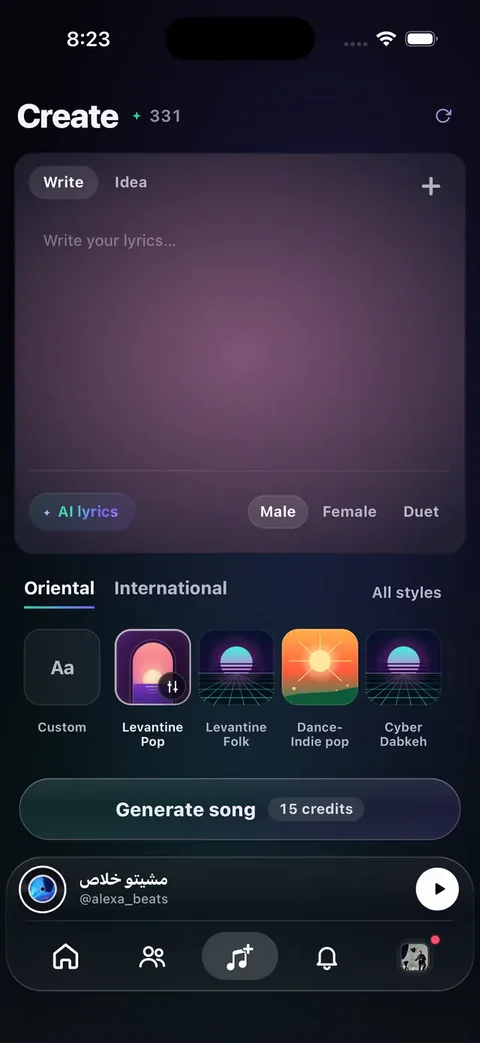
Turn a hum, photo, or a few words into a full song — studio-quality, yours to share.
Sounds
Loops · ambience · neon
Loops and ambience (games, podcasts, backgrounds). Priced at 2.5 credits per generation.
Each sound costs 2.5 credits.
Create
Advanced options
Mood
Feel
Tempo & key
Voice
Studio & More
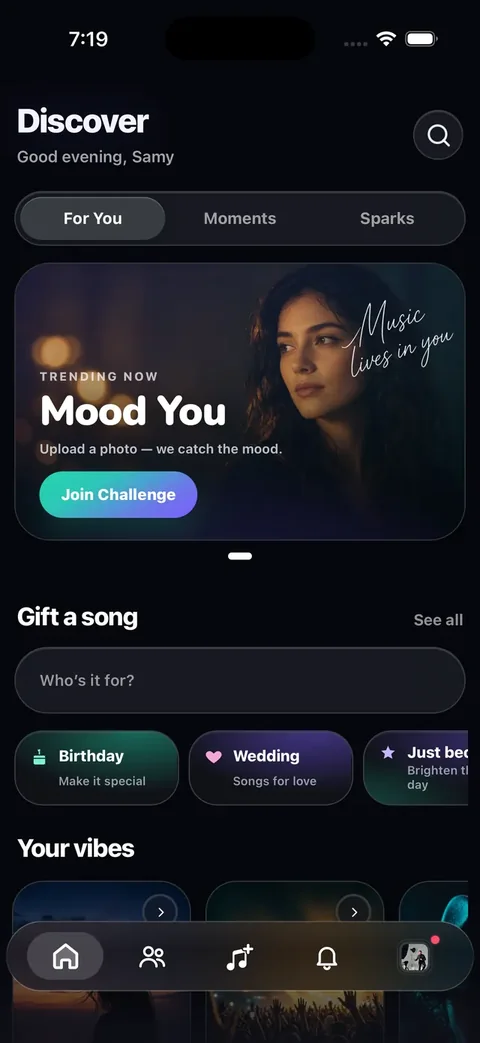
Discover
Public songs from creators on NabadAi.
Your circle
Activity
Follows, likes, comments, milestones, and remixes.
Blend two tracks
Mashup
Pick two songs from your library or Discover — we blend them into one new track.
Friends
Updates, advice, drops, and remixes from people you follow.
Playlist
Playlist
Hey, there
Full tracks
Create Song
Write lyrics, pick a style, or hum a melody — generate a complete song with cover art.
Your signature
Persona
Save your voice once — hear it on every track you generate, like a signature.
Voice moments
Echo
Drop a short voice clip for your circle — it plays for 24 hours, then disappears.
Two become one
Mashup
Blend two songs from your library into a fresh track — hooks, energy, and vibe combined.
Creative sparks
Short & fun challenges
Hook Rush
Make the first 15 seconds impossible to skip — no long intro, just the part people replay.
Quick starts
Ideas to try now
Song templates
Occasion & dedication
Pick occasion and sound — no name needed.
Lab
Voice scan on this device — for practice, not diagnosis.
Quiet room. One slow low → high glide.
Tips for a clean scan
- Warm up lightly ~30s — no shouting.
- Glide slowly chest → head on “ah” (~6–8s).
- Hold your highest comfortable note ~2s.
Pick Men’s or Women’s so the printed range matches how you sing.
This pass
—
—
—
—
—
—
—
—
Heuristic pitch-class map for practice — not a full maqam analysis.
—
Genres that may fit
Intonation
—
—
Key ideas
—
—
—
—
Educational estimate only — maqam detection uses a coarse 12-semitone map. Range tags compare pitch to teaching lists you choose. “Timbre” here is brightness, not formants. Voice labels are not a fach exam.
Your signature
Persona
Not set up
No voices saved yet. Tap Record — voices sync to your account and return on a new phone.
If a generation finished while the app was stuck, pull it into All songs here.
Popular this week
Credits
Redeem a code
Have a promo code? Enter it below.
How it works
- 1 full song = 12 credits (returns 2 variations).
- 1 sound (loop / ambience) = 2.5 credits.
- Lyrics are free — write as many drafts as you like.
- Each promo code can be redeemed once per account.
- If a generation fails, your credits are refunded automatically.
- Need more credits? Redeem a promo code or email help@nabadai.com.
Recent activity
Step 3: Vocal Room (Multitrack)
Session
Vocal track
Step 2: Stems & Studio
Studio (basic mixer)
Stems result
Advanced: local generator + hum → melody
1) Generate arrangement (local)
Arrangement JSON
2) Hum → Melody (MVP)
Detected melody (JSON)
3) Render real audio
What “no MIDI” means here
We generate an arrangement internally (notes + rhythm), but the output is rendered into an actual audio buffer and exported as WAV. Nothing outputs a MIDI file.
4) Voice AI (legacy)
Legacy endpoint for speech/TTS. If you use AI vocals, you likely don’t need this.
App settings
Settings
Account, creator tools, appearance, and support for NabadAi Music.